

Note, the name for your 'main account' in Wise can vary based on your location. To find the exact terminology used in your region, please check the product directly.
For business accounts, groups allow you to separate and organise your money, and control which team members have access to view, send and spend that money.
You can create as many groups as you need, such as for:
a company trip – you can give a team member a specific amount of money to spend with, and restrict them from spending from your main account
a specific department in your business – you can create a group where only team members in that department can access the money
separating money that you don’t want everyone to see
Groups can only be opened by team members with permission to open and manage groups and jars.
Learn more about opening, managing and closing groups
How is a group different from the main account?
Your main account is what you see on the Home tab. From there you’ll see all of the currencies that live in your main account.
If you open a group, any currencies in that group will be entirely separate from your main account.
You can control which team members have access to groups you create.
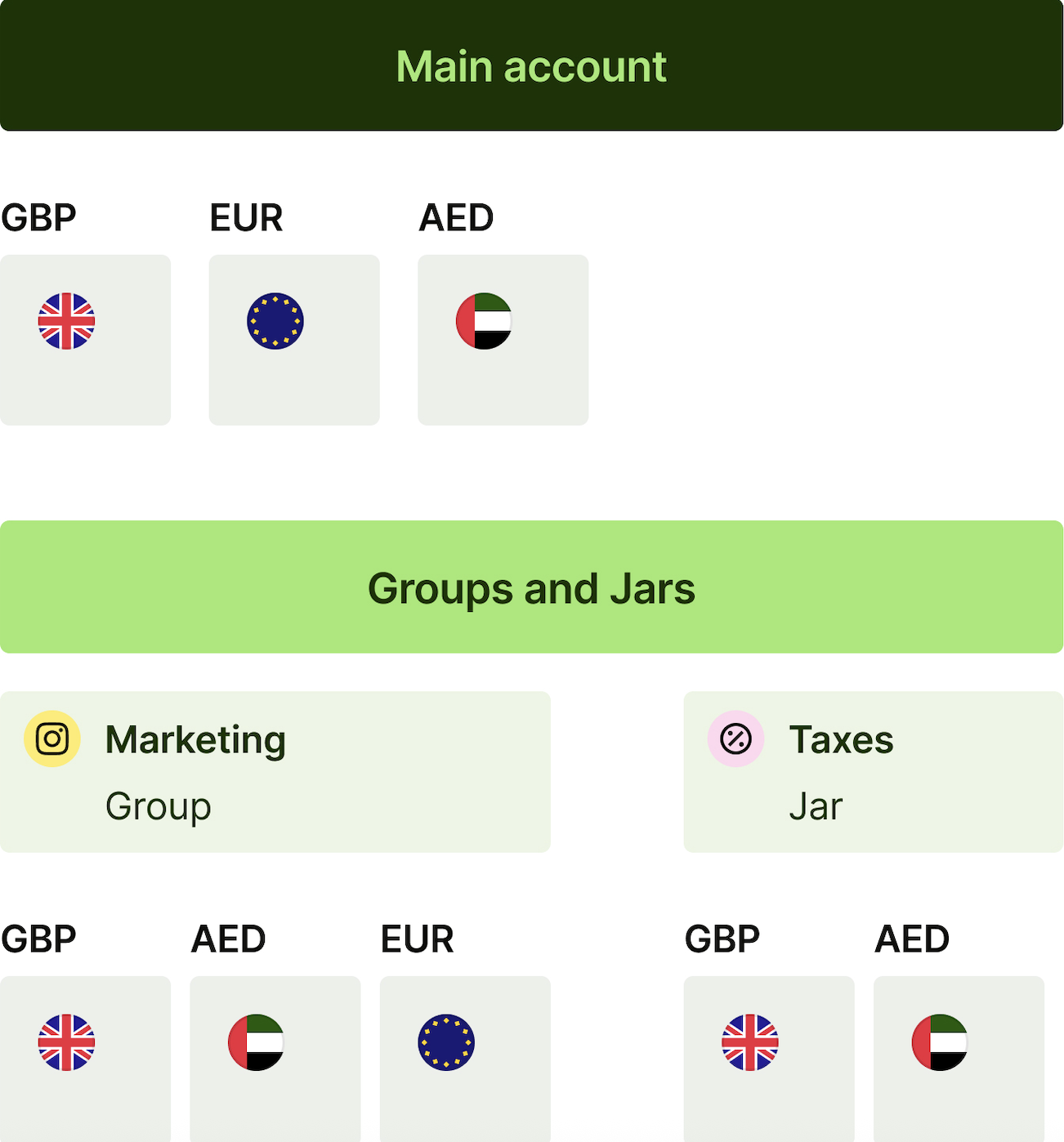
What can I do with groups?
In each group, you can:
Add and hold money in different currencies
Get a card to spend directly from the group*
Send money
Add team members who can view, send or spend money in a group.
Some features that are available in the main account aren't available in groups you create.
| Group | Main account | Jar | |
|---|---|---|---|
| Send money | ✔️ | ✔️ | ✔️ |
| Receive money with account details | ✔️ (UK, AU, CA, IL and SG only) | ✔️ | ✔️ (UK, AU, CA, IL, and SG only) |
| Hold money as Assets | ✔️ | ✔️ | ✔️ |
| Spend with the Wise digital card* | ✔️ | ✔️ | ❌ |
| Spend with the Wise physical card* | ✔️ | ✔️ | ❌ |
*Group cards are not available for businesses in some countries.
See where Wise business cards are available
Can I get account details for my Jars and Groups?
Yes. If your business is registered in the UK, Australia, Canada, Israel, the Philippines or Singapore, you can hold account details across your main account, Jars, and Business Groups.
There are limits on how many sets of account details you can hold, based on your payment method and currency:
Up to 10 sets of account details per currency available for local receiving locally in AUD, EUR, GBP, HUF, CAD and SGD (via FAST).
Up to 10 sets of account details per currency available for receiving Swift payments in CHF, CZK, CNY, ZAR, UGX, AED, ILS, DKK, JPY, NOK, SEK, and PLN.
Up to 5 sets of account details available specifically for business accounts receiving SGD locally via GIRO.
Can I set up direct debits for my Groups?
Yes. If your or your business’ address is registered in the UK, Australia, Canada or Israel, you can set up direct debits as long as you have local account details for an eligible currency: GBP, EUR, AUD and CAD.
For groups, the visibility depends on the permissions given to the members.
What can team members do in groups?
What your team members can do in the groups they’re added to depends on their permissions. The permissions they have apply to all groups and jars they’re in.
For example, if they have permission to set up or make payments via transfer, they'll be able to set up payments from any groups or jars they’re added to.
And if a team member’s payments require approval, they’ll require approval in all groups and jars they’re in.
If a team member has permission to order their own debit card, they’ll be able to order cards in all groups they’re in. They won’t be able to order a card for a jar.
Learn more about managing team members in groups
Availability
Groups is currently available for businesses in Australia, Brazil, Canada, The European Economic Area (EEA), Japan, New Zealand, Singapore, the UK, and the USA.