 Send penger to Bank of Nova Scotia (Scotiabank)
- Low fees — fees get cheaper the more you send
- Lightning fast — money typically arrives in seconds
- Perfectly predictable — lock in an exchange rate for your international transfer
Slik sender du penger to Bank of Nova Scotia (Scotiabank) i Canada

Enter amount to send in NOK
Betal i NOK med debetkortet eller kredittkortet ditt, eller send pengene fra nettbanken din.

Choose recipient in Bank of Nova Scotia (Scotiabank)
Velg mottaker av pengeoverføringen og utbetalingsmåte.

Send NOK, receive CAD
The recipient gets money in CAD directly from Wise's local bank account.
Larger transfers. Lower fees. Premium support.
Pay less when you send over 25,000 USD or equivalent. Plus get dedicated support from our expert team

Sikre pengeoverføringer to Bank of Nova Scotia (Scotiabank)
Hver eneste overføring er beskyttet med HTTPS-kryptering og 2-trinns verifisering. Og vi kjører millioner av kontroller hver dag for å beskytte hver transaksjon mot svindel.

Rock-solid technology
Super smart Wisers have built our industry-leading security systems from scratch over the last 12 years.
People who care, 24/7
With over 1,000 anti-fraud specialists, and real human help available every minute, we're on hand when you've got questions.
Your money, not ours
Your money is safeguarded, and held completely separate from ours, so it's available to you all the time.
De beste måtene å sende penger til utlandet på
Bankoverføring
Bank transfers are usually the cheapest option when it comes to funding your international money transfer with Wise. Bank transfers can be slower than debit or credit cards, but they usually give you the best value for your money. Read more how to use bank transfers as a payment option.Google Pay
If you’ve enabled Google Pay on your phone, you can use it to pay for a transfer with Wise. Paying with Google Pay is a convenient and quick way to send money abroad. If you’re using a credit card, watch out for extra charges. Some banks consider these payments as cash withdrawal, and they may charge you extra fees.Apple Pay
If you’ve enabled Apple Pay on your phone, you can use it to pay for a transfer with Wise. Paying with Apple Pay is a convenient and quick way to send money abroad. If you’re using a credit card, watch out for extra charges. Some banks consider these payments as cash withdrawal, and they may charge you extra fees.Debetkort
Paying for your transfer with a debit card is easy and fast. It’s also usually cheaper than credit card, as credit cards are more expensive to process. Read more about how to pay for your money transfer with a debit card.Kredittkort
Paying for your transfer with a credit card is easy and fast. Wise accepts Visa, Mastercard and some Maestro cards. Read more about how to pay for your money transfer with a credit card.PISP
PISP (Payment Initiation Service Provider) payments are instructions you give Wise to make a bank transfer directly from your bank account — without having to leave our app and log in to your online banking. This option is as cheap as a manual bank transfer, but it isn’t supported by all banks yet.Wise account
Hvis du har en Wise-konto for flere valutaer, kan du bruke pengene på kontoen til å betale for overføringen. Det er billig og går raskt – du konfigurerer bare pengeoverføringen som vanlig, og så velger du en Wise-kontooverføring når du skal betale.
Billigste måte å sende penger to Bank of Nova Scotia (Scotiabank) i Canada
Den billigste måten å sende 8 000 NOK til Canada på er ved å bruke penger som er på Wise-kontoen din, og det koster 40,93 NOK. Vi bruker den reelle valutakursen – den mest rettferdige kursen – og viser alltid gebyrene på forhånd.

NOK

CAD
| Sending 8 000 NOK | Transfer cost | ||
|---|---|---|---|
| Wise account | 40,93 NOK | ||
| Bank transfer | 40,09 NOK | ||
| Google Pay | 213,80 NOK | ||
| Apple Pay | 213,80 NOK | ||
| Debit card | 580,94 NOK | ||
| Credit card | 213,80 NOK | ||
| PISP | 40,09 NOK | ||
Raskeste måte å sende penger to Bank of Nova Scotia (Scotiabank) i Canada
Det går superraskt å sende penger med Wise: 77 % av overføringene ankommer på under 20 sekunder, og 95 % på under én dag. Hvor lang tid det tar, avhenger av hvordan du betaler.
NOK
CAD
| Sending 8 000 NOK | Bør ankomme | ||
|---|---|---|---|
| Wise account | innen tirsdag | ||
| Bank transfer | innen tirsdag | ||
| Google Pay | innen tirsdag | ||
| Apple Pay | innen tirsdag | ||
| Debit card | innen tirsdag | ||
| Credit card | innen tirsdag | ||
| PISP | innen tirsdag | ||
Send penger to Bank of Nova Scotia (Scotiabank) i Canada med den Wise-appen
Ser du etter en app til å sende penger to Bank of Nova Scotia (Scotiabank)? Send penger mens du er på farten med Wise-appen.
Cheap transfers abroad
Free from hidden fees, you’ll always get the mid-market exchange rate with Wise.
Track exchange rates
Save your favourite currencies to check how the exchange rate changes over time.
Real-time notifications
Know exactly what you’ve spent, as soon as you spend it.


Do more with Wise i Norge
You can use Wise for much more than just sending money. Here is what's available, based on where you live.
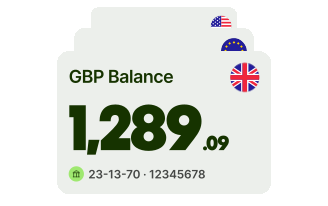
Receive money fast
Get paid easily in other currencies with global account details.
Save on spending abroad
Pay and withdraw cash worldwide without any hidden fees or markups.
Earn returns
Use your money as it grows. Your money won't be locked away. So you can continue to send and spend it. No commitment. No fuss. Capital at risk, growth not guaranteed.1

Frequently asked questions
- full name, up to 35 characters, using English characters (a–z) only
- 3-digit bank institution number
- 5-digit transit number
- 7–12 digit account number, without spaces
If your recipient has a bank account that supports Interac, you can send them a transfer using their registered email address. When you set up your payment to Canadian dollar (CAD), just choose the Interac tab and enter this. But you won’t get this option if you’re sending from Singapore dollar (SGD), Australian dollar (AUD), New Zealand dollar (NZD), Brazilian real (BRL), and Indian rupee (INR).
You can send up to 25,000 Canadian dollar (CAD) to an email address using Interac. Double-check if your bank offers this option first.
We’ll always give you an estimate for how long your transfer will take when you set it up.
Learn more about how long transfers take
You can’t send Canadian dollar (CAD) to Canadian US dollar (USD) accounts. Make sure your recipient’s bank account is in Canadian dollar (CAD).
If you’re sending Canadian dollar (CAD) by Interac, your recipient will get two emails: one from Interac with the link to claim the funds, and one from Wise with the PIN. If your recipient doesn’t claim the money in 3 calendar days, the payment gets refunded to you and you need to set up a new transfer.
See where Wise works
- Send money
- Account details
- Hold and convert money
- Banks i Canada
- Norwegian kroneSwift/BIC og IBAN
- British poundSwift/BIC, IBAN, Bank code og Account number
- EuroSwift/BIC og IBAN
- United States dollar
- United Arab Emirates dirhamSwift/BIC og IBAN
- Australian dollarSwift/BIC, Account number og Bank code
- Canadian dollarSwift/BIC, Account number og Branch code
- Swiss francSwift/BIC og IBAN
- Chinese yuanSwift/BIC og IBAN
- Czech korunaSwift/BIC og IBAN
- Danish kroneSwift/BIC og IBAN
- Hong Kong dollarSwift/BIC, Account number, Bank code, Branch code og Bank name
- Hungarian forintSwift/BIC, IBAN og Account number
- Israeli shekelSwift/BIC og IBAN
- Japanese yenSwift/BIC og IBAN
- New Zealand dollarSwift/BIC og Account number
- Philippine pesoBank name og Account number
- Polish złotySwift/BIC og IBAN
- Swedish kronaSwift/BIC og IBAN
- Singapore dollarSwift/BIC, Account number, Bank name og Bank code
- Ugandan shillingSwift/BIC og IBAN
- South African randSwift/BIC og IBAN
- United Arab Emirates dirham
- Argentine peso
- Australian dollar
- Bangladeshi taka
- Canadian dollar
- Swiss franc
- Chilean peso
- Chinese yuan
- Colombian peso
- Costa Rican colón
- Czech koruna
- Danish krone
- Dominican peso
- Egyptian pound
- Euro
- British pound
- Georgian lari
- Ghanaian cedi
- Hong Kong dollar
- Hungarian forint
- Indonesian rupiah
- Israeli shekel
- Indian rupee
- Japanese yen
- Kenyan shilling
- South Korean won
- Sri Lankan rupee
- Moroccan dirham
- Mexican peso
- Malaysian ringgit
- Nigerian naira
- Norwegian krone
- Nepalese rupee
- New Zealand dollar
- Peruvian sol
- Philippine peso
- Pakistani rupee
- Polish złoty
- Paraguay guaraní
- Romanian leu
- Swedish krona
- Singapore dollar
- Thai baht
- Turkish lira
- Tanzanian shilling
- Ukrainian hryvnia
- Ugandan shilling
- United States dollar
- Uruguayan peso
- Vietnamese dong
- South African rand