Skicka pengar to Banco de Occidente
- Low fees — fees get cheaper the more you send
- Lightning fast — money typically arrives in seconds
- Perfectly predictable — lock in an exchange rate for your international transfer
Så här skickar du pengar to Banco de Occidente i Colombia

Enter amount to send in SEK
Betala in SEK med ditt konto- eller kreditkort eller skicka pengarna via din internetbank.

Choose recipient in Banco de Occidente
Välj vem du ska skicka pengar till och vilken utbetalningsmetod du vill använda.

Send SEK, receive COP
The recipient gets money in COP directly from Wise's local bank account.
Larger transfers. Lower fees. Premium support.
Pay less when you send over 25,000 USD or equivalent. Plus get dedicated support from our expert team

Säkra pengaöverföringar to Banco de Occidente
Alla överföringar som du gör skyddas med HTTPS-kryptering och tvåstegsverifiering. Och vi genomför miljontals kontroller varje dag för att skydda varje transaktion mot bedrägerier.

Rock-solid technology
Super smart Wisers have built our industry-leading security systems from scratch over the last 12 years.
People who care, 24/7
With over 1,000 anti-fraud specialists, and real human help available every minute, we're on hand when you've got questions.
Your money, not ours
Your money is safeguarded, and held completely separate from ours, so it's available to you all the time.
Det bästa sättet att skicka pengar till andra länder
Banköverföring
Bank transfers are usually the cheapest option when it comes to funding your international money transfer with Wise. Bank transfers can be slower than debit or credit cards, but they usually give you the best value for your money. Read more how to use bank transfers as a payment option.Google Pay
If you’ve enabled Google Pay on your phone, you can use it to pay for a transfer with Wise. Paying with Google Pay is a convenient and quick way to send money abroad. If you’re using a credit card, watch out for extra charges. Some banks consider these payments as cash withdrawal, and they may charge you extra fees.Apple Pay
If you’ve enabled Apple Pay on your phone, you can use it to pay for a transfer with Wise. Paying with Apple Pay is a convenient and quick way to send money abroad. If you’re using a credit card, watch out for extra charges. Some banks consider these payments as cash withdrawal, and they may charge you extra fees.Betalkort
Paying for your transfer with a debit card is easy and fast. It’s also usually cheaper than credit card, as credit cards are more expensive to process. Read more about how to pay for your money transfer with a debit card.Kreditkort
Paying for your transfer with a credit card is easy and fast. Wise accepts Visa, Mastercard and some Maestro cards. Read more about how to pay for your money transfer with a credit card.Trustly
Trustly is an online bank payment method. With Trustly, you can send money to Wise without leaving our site or app. It's a simple and convenient way to pay in EUR, PLN, SEK, and DKK.PISP
PISP (Payment Initiation Service Provider) payments are instructions you give Wise to make a bank transfer directly from your bank account — without having to leave our app and log in to your online banking. This option is as cheap as a manual bank transfer, but it isn’t supported by all banks yet.Wise account
Om du har ett Wise-konto med flera valutor kan du använda pengarna på ditt konto för att betala för din överföring. Det är billigt och snabbt. Konfigurera bara din pengaöverföring som vanligt och välj en Wise-kontoöverföring när du betalar.
Det billigaste sättet att skicka pengar to Banco de Occidente i Colombia
Det billigaste sättet att skicka SEK till Colombia är med pengarna på ditt Wise-konto, vilket kostar 344,09 SEK. Vi använder marknadens mittkurs – den mest rättvisa kursen – och visar alltid avgifterna i förväg.

SEK

COP
| Sending SEK | Transfer cost | ||
|---|---|---|---|
| Wise account | 344,09 SEK | ||
| Bank transfer | 339,22 SEK | ||
| Google Pay | 530,98 SEK | ||
| Apple Pay | 530,98 SEK | ||
| Debit card | 1 071,15 SEK | ||
| Credit card | 929,15 SEK | ||
| Trustly | 354,01 SEK | ||
| PISP | 339,22 SEK | ||
Det snabbaste sättet att skicka pengar to Banco de Occidente i Colombia
Det går oerhört snabbt att skicka pengar med Wise: 77 % av överföringarna kommer fram inom 20 sekunder och 95 % inom en dag. Hur lång tid det tar beror på hur du betalar.
SEK
COP
| Sending SEK | Bör komma fram | ||
|---|---|---|---|
| Wise account | om 4 timmar | ||
| Bank transfer | om 4 timmar | ||
| Google Pay | om 4 timmar | ||
| Apple Pay | om 4 timmar | ||
| Debit card | om 4 timmar | ||
| Credit card | om 4 timmar | ||
| Trustly | om 4 timmar | ||
| PISP | på onsdag | ||
Skicka pengar to Banco de Occidente i Colombia i Wise-appen
Letar du efter en app för att skicka pengar to Banco de Occidente? Skickar pengar med Wise var du än är.
Cheap transfers abroad
Free from hidden fees, you’ll always get the mid-market exchange rate with Wise.
Track exchange rates
Save your favourite currencies to check how the exchange rate changes over time.
Real-time notifications
Know exactly what you’ve spent, as soon as you spend it.


Do more with Wise i Sverige
You can use Wise for much more than just sending money. Here is what's available, based on where you live.
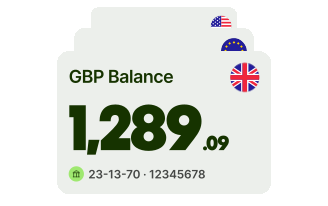
Receive money fast
Get paid easily in other currencies with global account details.
Save on spending abroad
Pay and withdraw cash worldwide without any hidden fees or markups.
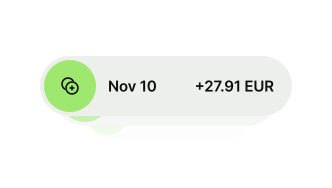
Earn returns
Use your money as it grows. Your money won't be locked away. So you can continue to send and spend it. No commitment. No fuss. Capital at risk, growth not guaranteed.1

Frequently asked questions
- full name
- phone number
- 11 digit Bancolombia local account number and account type (either current or savings)
- address
- ID document type
- and ID document number
The amount you can send per calendar month/year varies depending on multiple factors. We’ll let you know the maximum amount you can send when you set up your transfer.
From business accounts, you can’t send Colombian peso (COP) if your business falls under these categories:
- Gambling, betting, and online gaming
- Adult content
- Firearms, weapons, and military goods and services
- Fine jewellery and watches
- Fashion jewellery
- Precious stones, diamonds, and metals
- Retail or wholesale,
- Financial consulting, accounting, taxation, auditing, or other financial services
- Investment
- Holding company
- Money service
- Cryptocurrency financial services
- Insurance
- Crowdfunding
Learn more about how long transfers take
Your recipient must have Abono Automático turned on to receive money. If you try to send Colombian peso (COP) to a bank account without it, you’ll get an error message.
This is how your recipient can turn on Abono Automático:
- Open internet banking
- Go to the international transfers section
- Choose an account and reason for receiving money.
Learn more about Abono Automático
See where Wise works
- Send money
- Account details
- Hold and convert money
- Banks i Colombia
- Svensk kronaSwift/BIC och IBAN
- Brittiskt pundSwift/BIC, IBAN, Bankkod och Kontonummer
- EuroSwift/BIC och IBAN
- USA-dollar
- Förenade Arabemiraten dirhamSwift/BIC och IBAN
- Australiensisk dollarSwift/BIC, Kontonummer och Bankkod
- Kanadensisk dollarSwift/BIC, Kontonummer och Filialkod
- Schweizisk francSwift/BIC och IBAN
- Kinesisk yuanSwift/BIC och IBAN
- Tjeckisk korunaSwift/BIC och IBAN
- Dansk kronaSwift/BIC och IBAN
- Hongkong-dollarSwift/BIC, Kontonummer, Bankkod, Filialkod och Bankens namn
- Ungersk forintSwift/BIC, IBAN och Kontonummer
- Israelisk shekelSwift/BIC och IBAN
- Japansk yenSwift/BIC och IBAN
- Norsk kronaSwift/BIC och IBAN
- Nyzeeländsk dollarSwift/BIC och Kontonummer
- Filippinsk pesoBankens namn och Kontonummer
- Polsk zlotySwift/BIC och IBAN
- Singaporiansk dollarSwift/BIC, Kontonummer, Bankens namn och Bankkod
- Ugandisk shillingSwift/BIC och IBAN
- Sydafrikansk randSwift/BIC och IBAN
- Förenade Arabemiraten dirham
- Argentinsk peso
- Australiensisk dollar
- Bangladeshisk taka
- Kanadensisk dollar
- Schweizisk franc
- Chilensk peso
- Kinesisk yuan
- Colombiansk peso
- Costarikansk colón
- Tjeckisk koruna
- Dansk krona
- Dominikansk peso
- Egyptiskt pund
- Euro
- Brittiskt pund
- Georgisk lari
- Ghanansk cedi
- Hongkong-dollar
- Ungersk forint
- Indonesisk rupie
- Israelisk shekel
- Indisk rupie
- Japansk yen
- Kenyansk shilling
- Sydkoreansk won
- Lankesisk rupie
- Marockansk dirham
- Mexikansk peso
- Malaysisk ringgit
- Nigeriansk naira
- Norsk krona
- Nepalesisk rupie
- Nyzeeländsk dollar
- Peruansk sol
- Filippinsk peso
- Pakistansk rupie
- Polsk zloty
- Paraguayansk guaraní
- Rumänsk leu
- Svensk krona
- Singaporiansk dollar
- Thailändsk baht
- Turkisk lira
- Tanzanisk shilling
- Ukrainsk hryvnia
- Ugandisk shilling
- USA-dollar
- Uruguayansk peso
- Vietnamesisk dong
- Sydafrikansk rand